Getting Started

How to Use The Class Plan

Everything you need to build, save and teach a class — broken into four simple steps.

Welcome

Creating a class plan has never been easier

The Class Plan App is packed with features — and we know that can feel like a lot when you first log in.

This guide walks you through the essentials, so you can go from a blank screen to a ready-to-teach class in minutes.

Help guide

Browse step-by-step tutorials

Four steps to your first class

Follow these in order — each one builds on the last.

1

Create a class plan

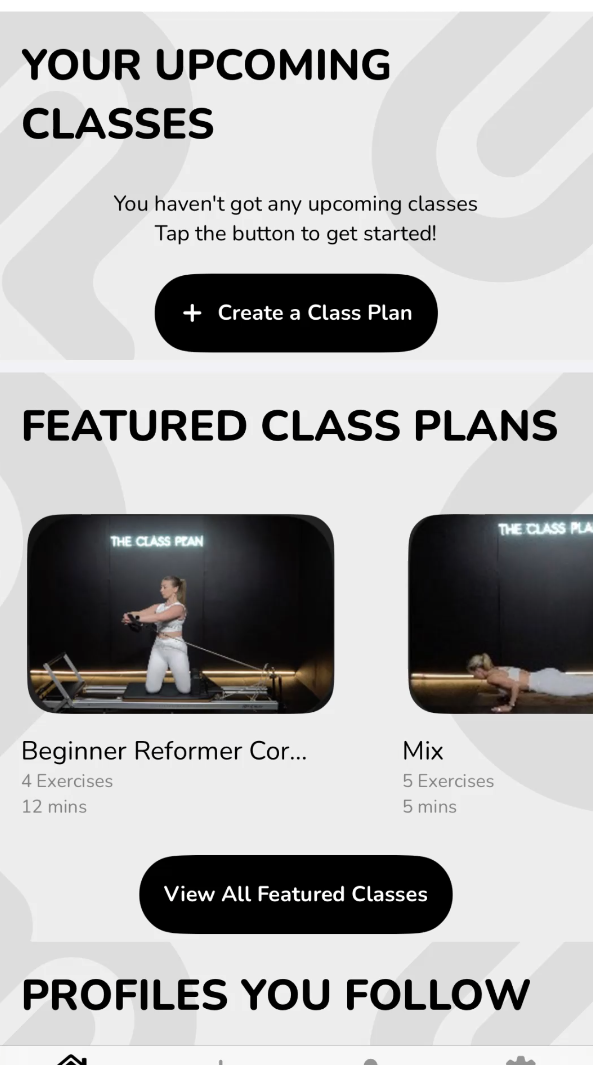
Tap “Create a Class Plan” to start a blank plan, then name it and set the duration.
2

Browse featured plans

Short on time? Start from a ready-made plan and adapt the exercises to suit your class.
3

Follow your instructors

Follow profiles to see their latest class plans and build your own library of inspiration.
4

Save & teach

Save your plan, open it on the day, and run your class straight from the app.

Prefer to watch first?

Our two-minute walkthrough video shows the whole flow in action — from creating a plan to teaching it. Press play and follow along.

Ready to plan your first class?

Try every feature free for 7 days — no commitment.